A lightweightdrop-in replacement for your Postgres read replica.
Same SQL, same answers. But extremely fast for analytical queries.
One query over 10 million rows: the Postgres primary took 15.7 seconds, Mason as its read replica took 0.193 seconds, and both returned the same answer to the same SQL: 81 times faster.
SELECT response_code, count(*)
FROM requests
GROUP BY response_code
Lightweight: Mason is a single Node.js process you can run anywhere. It keeps all its config and your synced data locally in the folder you run it in.
Fast: Mason syncs your Postgres data into DuckDB's columnar engine, and rewrites your Postgres queries on the fly into the form DuckDB runs fastest.
Postgres: Mason is built from the ground up to match Postgres's syntax and behavior (not DuckDB's), so you can point your existing Postgres queries at it with confidence.
Read replica: You choose which tables and columns to sync from your Postgres database, and how each stays in sync: on demand, by polling or by logical replication.
Built for AI agents: Add a user per agent, with role-based access control (RBAC) that limits the tables, columns and rows each one can read. Every query is logged with who ran it, the SQL they sent, how long it took and, if it was refused, how to fix it. Mason also has MCP support built in.
Try it out in minutes, run it anywhere
$ npm i -g @mason-data/cli
$ cd my-app

# tell Mason which Postgres database to sync from
$ mason init 'postgres://me:[email protected]:5432/my_db'

# choose the tables to sync
$ mason add orders customers

# start Mason locally and wait for the first sync to finish
$ mason start && mason wait

# get a connection URL for your favorite Postgres client
$ mason user add me

# get results fast
$ psql "postgres://me:<password>@localhost:5433/mason" -c "SELECT country, sum(amount) FROM orders JOIN customers ON customers.id = customer_id GROUP BY country"

# or give it to your coding agent
$ claude mcp add mason --env MASON_URL="postgres://me:<password>@localhost:5433/mason" -- mason mcp

# done? stop Mason and delete its synced copy of your data
$ mason stop && mason destroy
Queries that read lots of rows, like counts, sums and group-bys over big tables. The kind dashboards, reports and AI agents run.
Not fast
Queries that fetch a few rows and many columns, like looking up one order by its ID. Mason is fastest when you're querying a lot of rows across a few columns.
Query
Postgres (s)
Mason (s)
Mason is
Count by status10M rows, 10 clients
21.721
0.2595
84× faster
Count by status, 100M rows, 1 client
216.068
0.4624
467× faster
SELECT status, count(*)
FROM orders
GROUP BY status
ORDER BY status
Revenue by month (a join)10M rows, 10 clients
43.909
2.758
16× faster
Revenue by month (a join), 100M rows, 1 client
335.059
6.685
50× faster
SELECT date_trunc('month', o.created_at) AS month,
       date_trunc('year', c.created_at) AS signup_year,
       sum(o.amount) AS revenue
FROM orders o
JOIN customers c ON c.id = o.customer_id
GROUP BY 1, 2
ORDER BY 1, 2
Lookup by primary key10M rows, 10 clients
0.0388
0.2341
6.0× slower
Lookup by primary key, 100M rows, 1 client
0.0366
0.1013
2.8× slower
SELECT *
FROM orders
WHERE id = '7c9e6679-7425-40de-944b-e07fc1f90ae7'
From a cold start: each engine restarted and the page cache dropped before every run. 1 or 10 clients send the query at the same moment, and the time is until every client has its answer, the median of 3 runs. Actual results will vary, depending on the size and distribution of your data.
Role-based access control: Mason gives each tool, AI agent or customer its own login, and its role decides which tables and columns it can read. You can add, disable or remove a user at any time, and the change takes effect immediately.
Row-level security: You can limit each user to its own rows, such as the rows for one customer. Mason applies the same limit to related tables by following their foreign keys.
Generated tables: These are like materialized views, but Mason keeps them up to date for you. They put no extra load on your database.
MCP: Mason has its own MCP server, so AI agents like Claude Code and ChatGPT can look at your tables and run queries. Each agent can only see what its role allows.
Monitoring: Mason works with the monitoring tools you already use. Prometheus and Grafana can read its metrics at /metrics, and uptime checks, Kubernetes and ECS can check its health at /healthz. It writes its logs to stdout, so Datadog or CloudWatch can collect them. You can also look back at every query, every sync event and how busy Mason has been, with mason logs and mason usage.
IP allowlists and TLS: You can limit each user to the IP addresses it connects from. Mason can also encrypt every connection, with your own certificate or with one it makes for you.
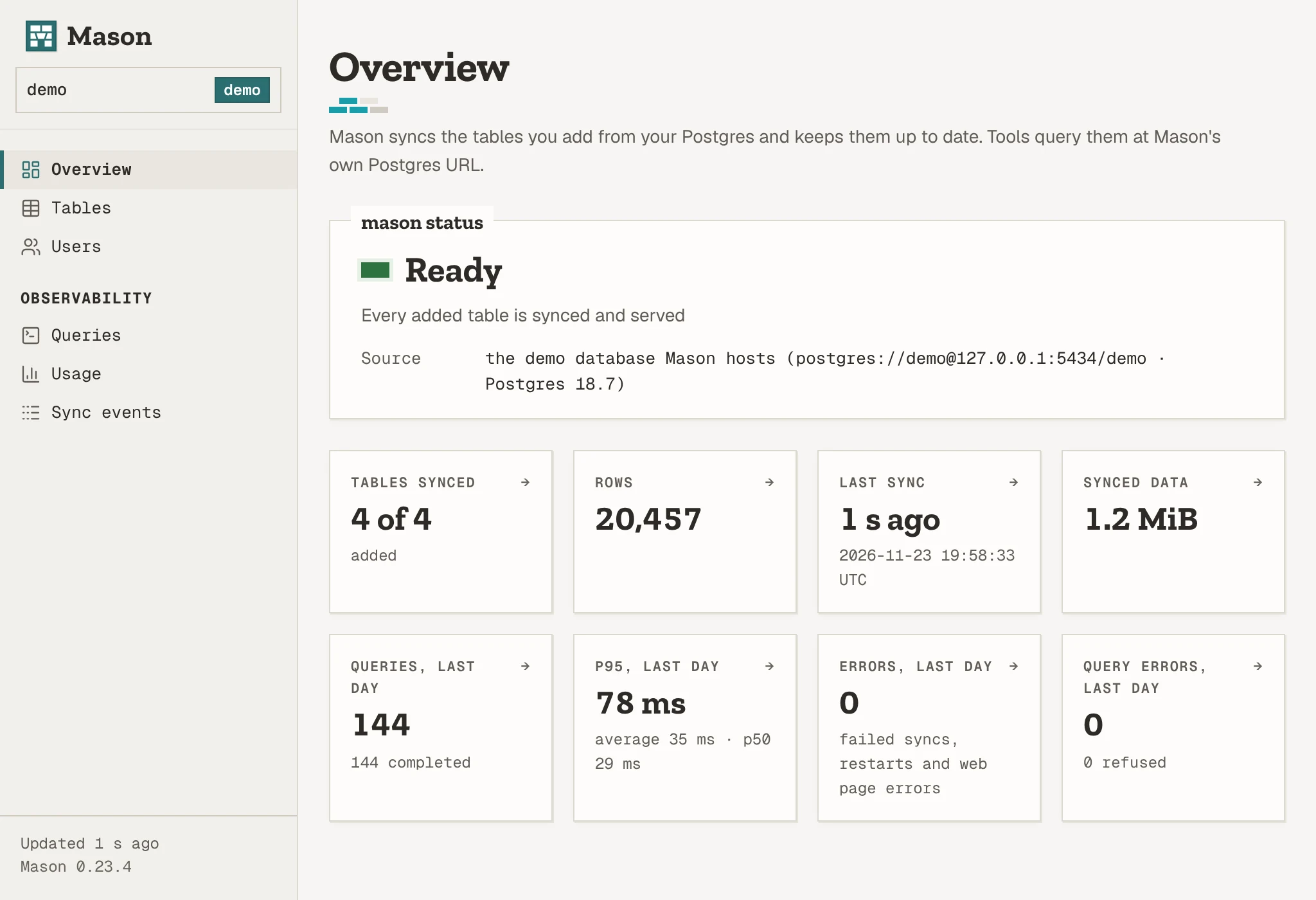
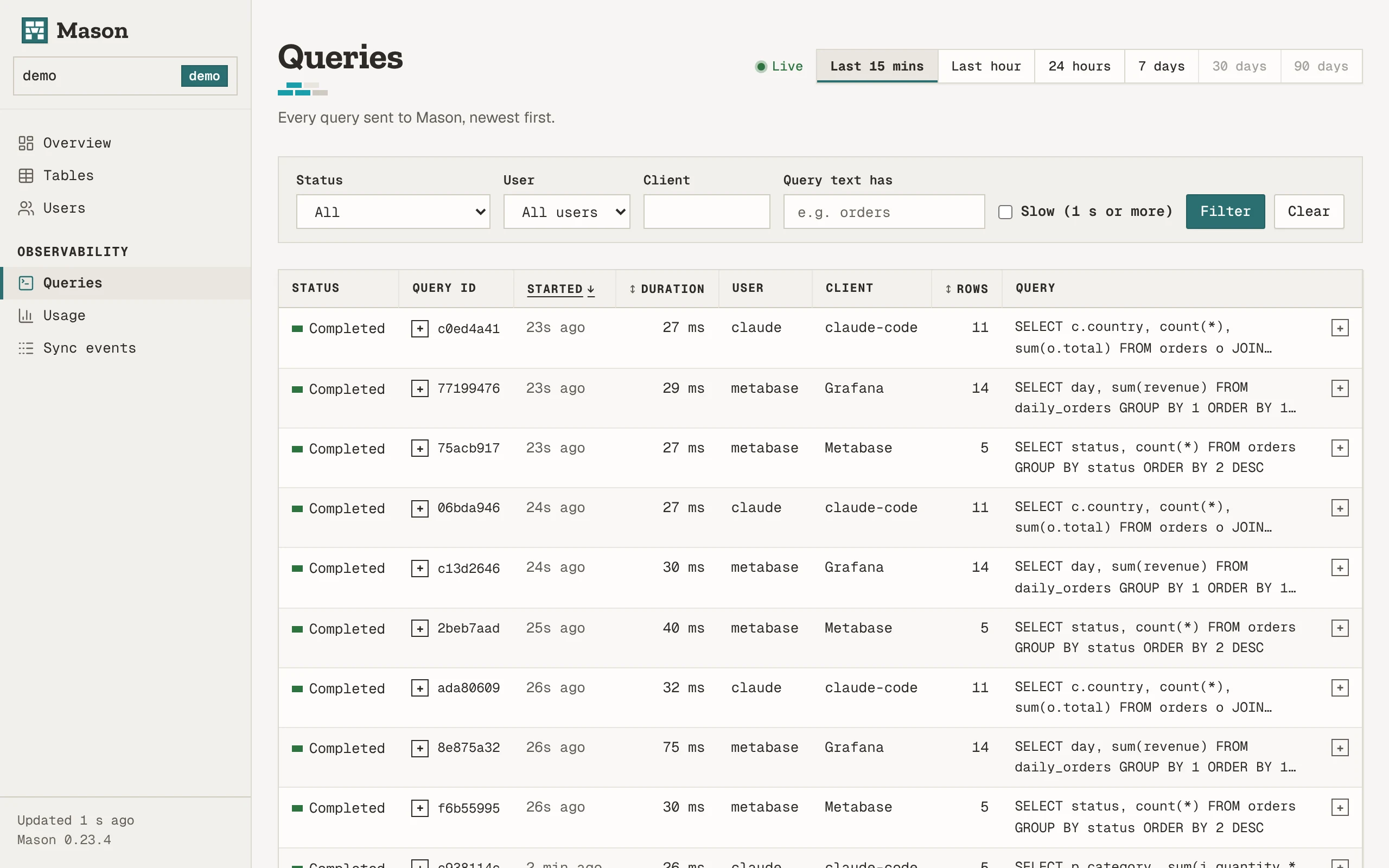
Web UI: Run mason ui to open a web page where you can add tables and users. The page also shows you queries, usage and sync events as they happen.
The Overview page shows you that Mason is ready, and how your tables and queries are doing.The Queries page shows you every query, who sent it and how long it took.